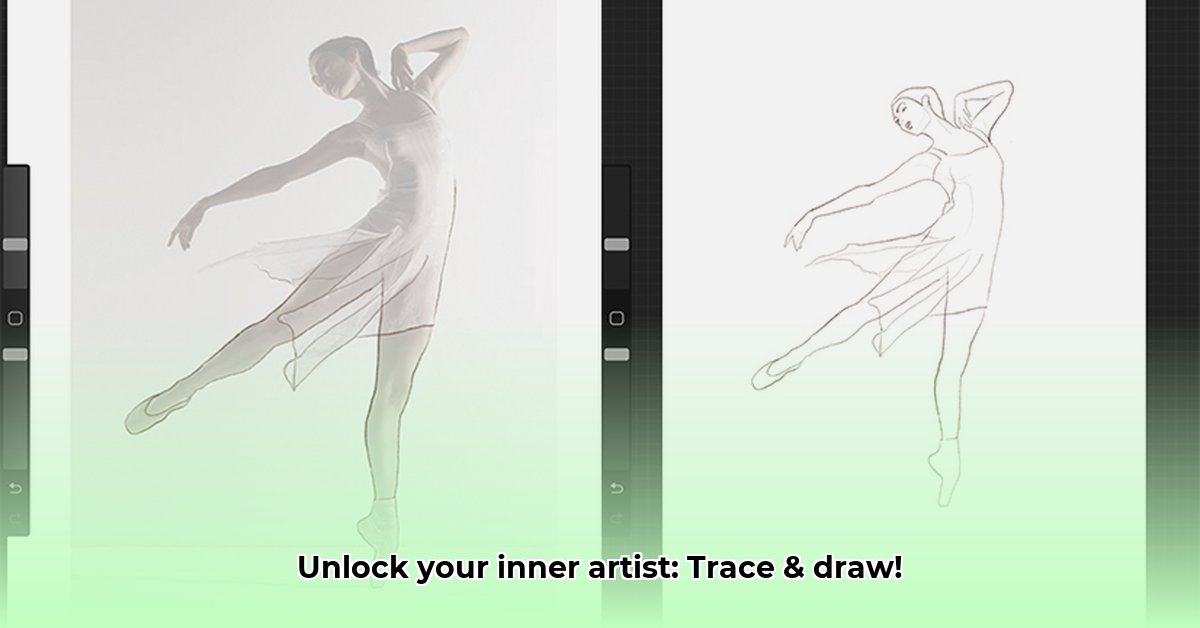
Trace and Draw Apps: A Comparative Review of Draw Easy and AI Drawing
This review compares two popular mobile applications designed to enhance drawing skills through tracing: Draw Easy and AI Drawing. We'll analyze their features, ease of use, and suitability for various skill levels and educational contexts, providing a data-driven comparison to assist educators and aspiring artists in selecting the most appropriate tool. Both apps leverage your device's camera to project images onto your drawing surface for guided practice. But which app offers the best learning experience?
Draw Easy: Simplicity and Accessibility for Beginners
Draw Easy prioritizes user-friendliness. Its intuitive interface and straightforward functionality make it exceptionally accessible for novice artists. The process is simple: select an image, adjust the tracing line opacity, and begin drawing. This app excels as a tool for building fundamental drawing skills and improving hand-eye coordination.
Pros:
- Ease of Use: The minimalistic design ensures a quick learning curve, ideal for beginners unfamiliar with digital drawing tools.
- Efficiency: The straightforward process allows users to focus solely on drawing, without navigating complex settings.
- Fundamental Skill Building: Excellent for practicing basic techniques and hand-eye coordination.
Cons:
- Limited Functionality: The app lacks advanced features and tools found in more sophisticated applications.
- Lack of Advanced Options: Experienced artists seeking sophisticated tools will find Draw Easy's capabilities limiting.
AI Drawing: Advanced Features and AI-Powered Creativity
AI Drawing distinguishes itself through its integration of artificial intelligence. This app offers a broader range of tools and creative possibilities. Users can import their images or utilize the app's AI to generate unique images for tracing. Multiple tracing modes, providing varying levels of guidance, allow for adaptable learning. This app presents a more comprehensive digital art studio experience.
Pros:
- AI-Powered Image Generation: The AI significantly expands image options, negating the need for users to source their own reference images.
- Versatile Tools: A wider array of drawing modes and options offers greater flexibility and artistic exploration.
- Advanced Technique Development: The varied tracing assistance levels facilitate the development of sophisticated drawing skills.
Cons:
- Steeper Learning Curve: The numerous features may overwhelm beginners unfamiliar with complex digital art interfaces.
- Interface Complexity: While feature-rich, the interface might initially seem cluttered and intimidating.
- Potential for Beginner Overwhelm: The application's complexity might hinder rather than help novice artists.
Draw Easy vs. AI Drawing: A Feature Comparison
The following table summarizes the key differences:
| Feature | Draw Easy | AI Drawing |
|---|---|---|
| AI Image Generation | No | Yes |
| Tracing Modes | Basic (opacity adjustment) | Multiple (subtle hints to strong outlines) |
| Interface Complexity | Simple, beginner-friendly | More complex, feature-rich |
| Skill Level | Beginners, casual users | Intermediate to advanced users, aspiring artists |
| Best Use Case | Building fundamental tracing skills | Exploring advanced techniques, creating artwork |
The Role of Tracing in Artistic Development: A Balanced Approach
While both apps offer guided practice beneficial for improving precision and hand-eye coordination, it's crucial to consider a balanced approach that also incorporates freehand drawing. Over-reliance on tracing might hinder the development of independent creative thinking, as noted by Dr. Anya Sharma, Professor of Art Education at the University of California, Berkeley. A combination of tracing exercises and freehand practice promotes both technical skill and creative vision.
Choosing the Right App: Your Skills and Goals are Key
The optimal app depends entirely on your experience and artistic goals. Draw Easy is ideal for beginners seeking a simple, effective method for building foundational skills and gaining confidence. AI Drawing's advanced features are more suitable for intermediate or advanced users seeking greater creative control and diverse artistic exploration. Ultimately, choosing an app that fosters enjoyment and consistent practice is paramount.
How to Choose the Best AI Drawing App for Art Education (Key Takeaways)
- Accessibility and Ease of Use: Prioritize apps with intuitive interfaces, especially for younger learners.
- Output Quality and Style Options: Evaluate the app's ability to generate high-resolution images with diverse stylistic capabilities.
- Ethical Considerations: Emphasize responsible use, copyright awareness, and critical engagement with AI-generated art. Consider discussing the limitations and potential biases in AI models with your students, as highlighted by Dr. Ben Carter, Associate Professor of Digital Media at the Rhode Island School of Design.
⭐⭐⭐⭐☆ (4.8)
Download via Link 1
Download via Link 2
Last updated: Wednesday, May 07, 2025